cgebet App – Play Sports Betting and Live Casino on Mobile in the Philippines
The cgebet app experience is built for Philippines players who want to access sports betting, live casino games, and slot online titles directly from their Android or iOS device without downloading anything. This page explains how to get started on mobile, what content is available, and how to set up quick access so you can log in and play in seconds from anywhere in the Philippines.
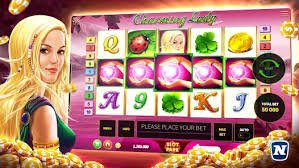
What Is the cgebet App and How Does It Work?
The cgebet app is a mobile-optimised web experience that lets players in the Philippines access the full platform — including sports betting, live casino games, and slot online titles — directly through a mobile browser on any Android or iOS device. There is no dedicated app to download from the Google Play Store or Apple App Store, which means you can start playing without waiting for an installation or worrying about storage space on your phone. Instead, you simply visit the cgebet website from your mobile browser, log in through the Login page, and the interface automatically adjusts to your screen size for comfortable touchscreen navigation. For even quicker access on future visits, you can save cgebet to your home screen as a shortcut that opens instantly like a native app. This approach means you always have access to the latest version of the platform without needing to manually update anything on your device.
Four Reasons Philippines Players Use cgebet on Mobile
Everything you need to know about the mobile experience before you start.
No Download or Installation
cgebet runs entirely through your mobile browser, so there is no APK file to download, no App Store approval to wait for, and no storage space consumed on your device. This is especially convenient for Philippines players who use mid-range Android devices where storage is limited and keeping apps updated is a hassle. Simply open your preferred mobile browser — Chrome, Safari, or any standard browser — navigate to cgebet, and you are ready to go. The entire registration, login, deposit, betting, and withdrawal flow works smoothly on a touchscreen without needing any additional software. If you have not registered yet, the registration page takes just a few minutes to complete on your phone.
Add to Home Screen for Instant Access
One of the most useful features for regular players is the ability to save cgebet as a home screen shortcut on both Android and iOS, giving you app-like access with a single tap. On Android using Chrome, tap the three-dot menu and select "Add to Home Screen" — the cgebet icon will appear on your home screen just like any installed app. On iOS using Safari, tap the Share button at the bottom of the screen and choose "Add to Home Screen" to create the same shortcut. Once added, tapping the icon opens cgebet directly without needing to type the URL each time, making it faster to check live sports odds or jump into a live baccarat game during a commute or lunch break. This home screen shortcut always loads the latest version of the platform automatically, so there is nothing to update manually.
Full Game Library on Your Phone
The mobile version of cgebet gives you access to the same complete content library as the desktop platform, including live casino games with real dealers, sports betting markets covering PBA basketball, boxing, Premier League football, and esports, as well as a wide selection of slot online titles. Live casino tables like baccarat, roulette, blackjack, and dragon tiger stream smoothly on a standard mobile data connection, and the touchscreen controls are designed to feel natural on a small screen. Sports bettors can browse odds, select markets, build accumulators, and confirm bets entirely from a smartphone without any functionality being cut down for mobile. The Live Casino section and the Betting section are both fully accessible from mobile, so you do not miss out on any content just because you are not at a desktop. For players in Metro Manila, Cebu, or Davao who are often on the go, this full mobile access is a major advantage.
Local Payments Built for the Philippines
Managing your cgebet account balance on mobile is straightforward thanks to Philippine Peso support and integration with local payment methods that most Philippines players already use daily. Depositing and withdrawing through GCash, Maya, or local bank transfer works just as well from a mobile browser as it does from a desktop, and all transactions are handled in PHP without any currency conversion step that could reduce your funds. The payment flow on mobile is designed to be quick — selecting your method, entering an amount, and confirming the transaction takes under a minute on a standard smartphone. For questions about deposit limits, processing times, or withdrawal requirements, the FAQ page has a clear breakdown of all payment-related information. Keeping your payment method and account details up to date ensures that both deposits and cashouts process without delays.
How to Start Using cgebet on Your Phone
Three simple steps to get from zero to placing your first bet or joining a live casino table on mobile.
Register or Log In
Open your mobile browser, go to cgebet, and either create a new account through the Register page or sign in through the Login page if you already have an account. Registration on mobile takes just a few minutes — fill in your details, verify your account, and you are ready to explore the full platform. Make sure to use accurate personal information during registration, as this is required later when verifying your account for withdrawals. Once logged in, your account dashboard, balance, and all platform sections are fully accessible from your phone screen. New players can complete the entire onboarding process without ever switching to a desktop device.
Save to Your Home Screen
After logging in, add cgebet to your mobile home screen so you can return with a single tap at any time. On Android with Chrome, open the browser menu and tap "Add to Home Screen" — on iOS with Safari, tap the Share icon and choose "Add to Home Screen." The cgebet shortcut will appear on your home screen alongside your other apps, and tapping it opens the platform instantly without loading a browser tab from scratch. This home screen shortcut is the fastest way for Philippines players to check live sports odds, monitor a live casino session, or review pending bets while on the go. The shortcut always reflects the latest version of cgebet, so there is never a need to update or reinstall anything.
Explore Games and Betting Markets
With your account set up and cgebet saved to your home screen, you are ready to explore everything the platform offers from your phone. Head to the Betting section to browse sports markets covering PBA basketball, Philippine boxing, football, and esports, or visit the Live Casino section to join a live baccarat, roulette, or blackjack table with a real dealer. Slot online games are also available in full on mobile, with touchscreen-friendly controls and smooth performance on standard mobile data connections. If you have questions about how any section works or what limits apply, the FAQ page covers the most common queries from Philippines players in plain English. Depositing funds in PHP through GCash or Maya takes just a minute, and you can be placing bets or joining a live table within moments of adding your first deposit.
What You Can Access on the cgebet Mobile Platform
A quick overview of the sections and features available to Philippines players on mobile.
| Section | What's Available on Mobile | PHP Peso Support |
|---|---|---|
| Sports Betting | PBA, boxing, football, esports odds and live markets | Yes |
| Live Casino | Baccarat, roulette, blackjack, dragon tiger with real dealers | Yes |
| Slot Online | Wide selection of slot titles, mobile-optimised controls | Yes |
| Deposits & Withdrawals | GCash, Maya, local bank transfer — full flow on mobile | Yes |
Common Questions About the cgebet Mobile App
Straightforward answers for Philippines players who want to get set up on mobile fast.
Start Playing on Mobile with cgebet Today
Open cgebet in your mobile browser right now to access sports betting, live casino games, and slot online titles in Philippine Peso — no download required. If you do not have an account yet, registration takes just a few minutes and gives you full access to all sections of the platform from your phone.